
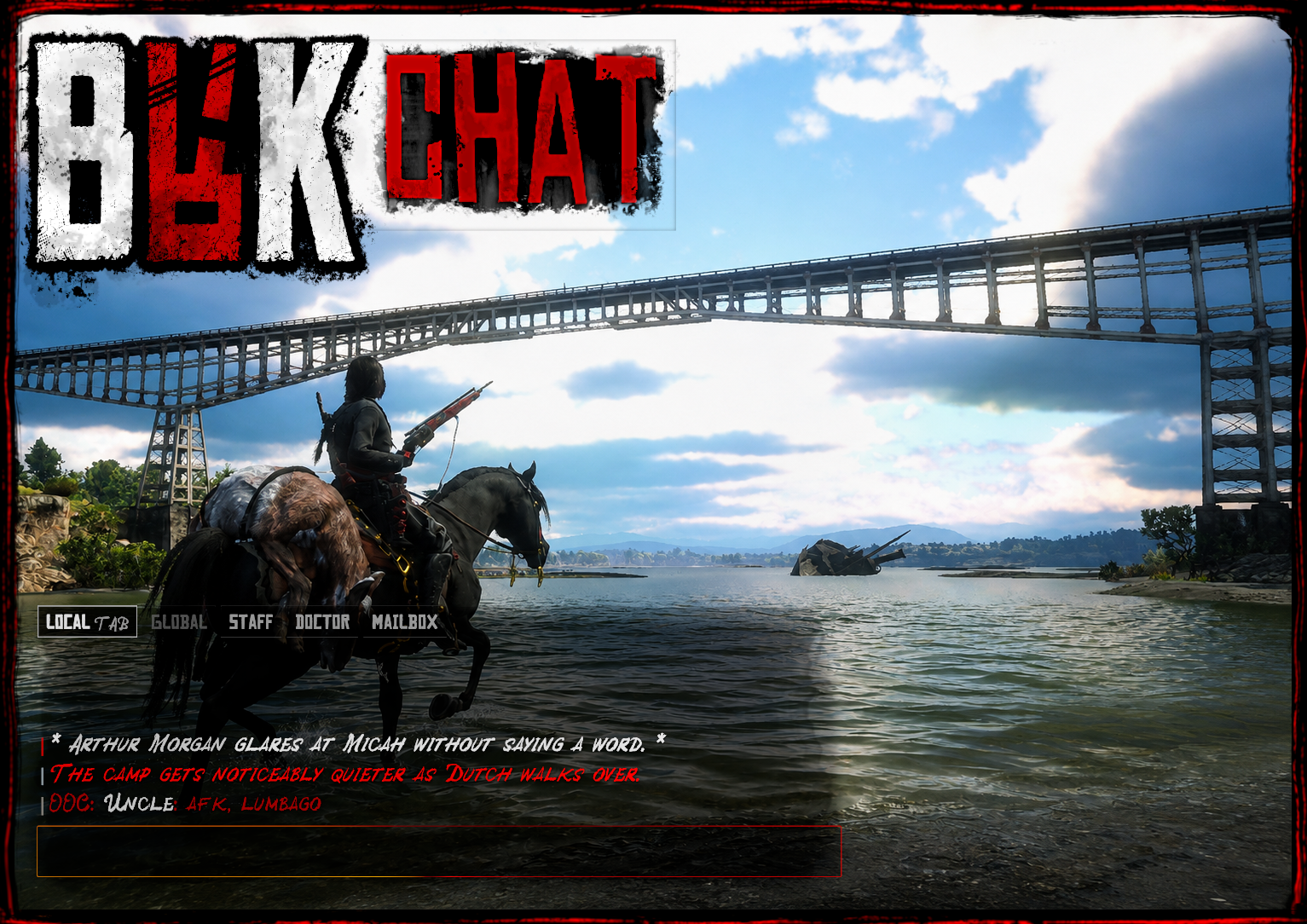
BRK Chat
BRK Chat is a free, highly configurable RedM chat system built for VORP Core, with expanded framework compatibility planned.
It adds proximity RP chat, configurable channels, permissions, player customization, moderation tools, Discord logging, animated UI presets, and compatibility features for resources that expect the standard RedM chat.
Features
- Local proximity chat
-
/mewith stackable 3D text -
/do,/ooc,/yell,/whisper - Configurable Global, Staff, Job, Business & custom channels
- Unlimited configurable chat tabs
- Separate view and send permissions
- VORP job, grade and group permissions
- ACE permission support
- Configurable communication ranges
- Small / Medium / Large chat modes
-
/chatmoveplayer positioning -
/brk_chat_opacityplayer opacity control - Saved local UI preferences
- Multiple animated chat presets
- Configurable colors and display formats
- Configurable player identity formats
- Automatic registered-command suggestions
- ACE-filtered command visibility
- Stock chat event compatibility
- Chat exports for other resources
- Configurable moderation phrase alerts
- Discord webhook logging
- Join / Leave / Connection Drop logging
- BRK Notify integration
- No SQL required for player UI preferences
Customization
Server owners can configure:
- Channels
- Channel names and colors
- View/send permissions
- Jobs and grades
- Groups and ACE permissions
- Communication ranges
- Player identity formats
- Chat size and positioning
- Available animated presets
- Player customization permissions
- Moderation rules
- Phrase exceptions
- Severity levels
- Discord webhook routing
- Command availability and suggestions
Most normal setup and customization is handled through configuration.
Roleplay Chat
/me messages can display as stackable 3D text above the player as well as inside the chat.
3D positioning accounts for different character positions such as standing, sitting, kneeling, ground poses, and wagon poses.
/do, /ooc, /yell, and /whisper each support their own configurable roleplay behavior and communication ranges.
Custom Channels
Servers can create as many channels as needed, including things such as:
- Global
- Staff
- Management
- Law
- Medical
- Business
- Advertisements
- Job channels
- Department channels
- Server-specific channels
Channels can independently control who can view them and who can send messages.
Player Customization
Players can reposition their chat with:
/chatmove
and locally adjust the chat background opacity with:
/brk_chat_opacity
Position and UI preferences are saved locally and do not require an additional SQL table.
Moderation & Logging
BRK Chat includes configurable phrase monitoring for staff review.
Rules can use:
- Contains matching
- Exact-word matching
- Lua patterns
- Phrase exceptions
- Channel restrictions
- Severity levels
- Discord role alerts
Messages are flagged for staff review rather than automatically blocked.
Separate Discord webhook routes can be configured for chat, RP commands, staff channels, job channels, moderation alerts, commands, joins, normal exits, and connection drops.
Compatibility
BRK Chat currently supports VORP Core.
Expanded RedM framework compatibility is planned. Additional frameworks will only be listed as supported once they have been properly tested.
BRK Chat also provides compatibility with common stock chat events and exports so existing RedM resources can continue sending messages and command suggestions.
provide 'chat' is included for resources expecting the standard chat resource.
BRK Integration
BRK Chat integrates with BRK Notify for shared notifications, announcements, and command feedback.
Additional BRK resources are designed to integrate with Chat where appropriate.
Requirements
- VORP Core
- BRK Notify
Price
Free
BRK Chat is actively maintained.
Feature suggestions, integration ideas, framework compatibility requests, bug reports, and general feedback are always welcome.
Links
BRK Chat Resource Page / Full Showcase
https://brkscriptingstudios.com/chat
CFX Forum
https://forum.cfx.re/t/brk-chat/5416072
BRK Resources, Documentation & Showcases
https://brkscriptingstudios.com/brk
YouTube
https://www.youtube.com/@BRKScriptingStudio
GitHub
https://github.com/blakelyrachelle
BRK Discord
https://discord.gg/ZJS6HsCAVM
Indestructible RP
https://brkscriptingstudios.com/irp
IRP Discord
https://discord.gg/WfsYr4FRV7
BRK Scripting Studios
BRK Scripting Studios develops RedM scripts, VORP resources, shared systems, developer tools, maps, and world content, with expanded framework compatibility being explored across the catalogue.
BRK resources focus on configuration, visual feedback, immersive interaction, practical integrations, optimization, testing, documentation, and continued maintenance.
Other BRK resources include:
Critter Care · Resourceful Ranger · Fish Filet · BRK Notify · BRK RP Dice · BRK Menu · Developer Tools · YMAPs · XML Maps